


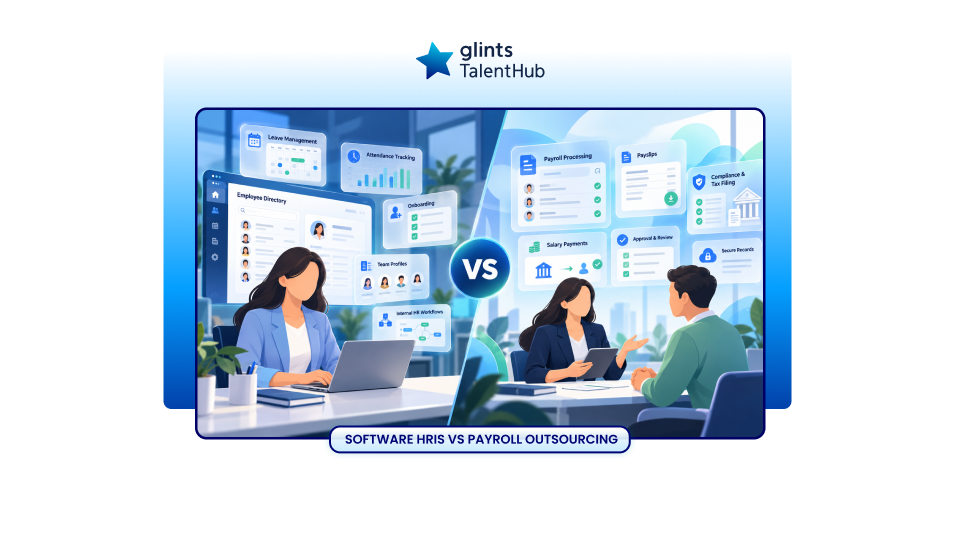
Payroll outsourcing vs HRIS software is a choice many businesses face when monthly payroll starts taking too much time. Your employee records may already be digital, yet HR still spends days checking salary changes, resolving discrepancies and preparing figures for Finance.
Would better software solve the problem? Or do you need someone to help run payroll?
Payroll outsourcing gives you a service team to perform agreed payroll tasks. HRIS software gives you technology to manage employee information and HR workflows, sometimes including payroll. You can use either approach or combine them, depending on where your workload sits.
This guide explains the differences, the costs to compare and how to choose a setup that supports your team.
What Is Payroll Outsourcing?
Payroll outsourcing means appointing an external provider to carry out specified payroll activities. The scope can range from calculations and reports to additional services such as payment administration or statutory submissions, where offered and agreed.
Your team still supplies approved employee changes, reviews outputs and meets its responsibilities as the employer. The contract should identify who prepares, checks, approves, submits and pays each item.
For an overview of the service model, read this guide to payroll outsourcing.
What Is HRIS Software?
HRIS stands for human resources information system. It helps businesses organise employee information and automate HR processes. Depending on the product and subscription, it may support employee records, onboarding, leave, benefits, reporting and payroll
Payroll functionality varies. A platform might include a payroll module for selected countries, connect to another payroll system or export information for a provider to process.
Buying an HRIS therefore does not necessarily mean buying a managed payroll service. Check both the software capabilities and the people responsible for operating them.
Payroll Outsourcing vs HRIS Software at a Glance
The comparison below assumes an HRIS subscription without a separate managed payroll service. Some vendors offer both.
| Area | Payroll outsourcing | HRIS software |
|---|---|---|
| Primary purpose | Have a provider perform agreed payroll work | Organise HR data and automate workflows |
| Who runs payroll | Provider performs contracted tasks; your team supplies inputs and approvals | Your team usually runs the process unless managed services are included |
| Payroll calculations | Included when specified in the service scope | Requires a suitable payroll module or connected system |
| Broader HR administration | May require separate software | Often supports employee records and HR workflows |
| Local payroll expertise | Available according to provider scope and country coverage | Depends on product localisation and support package |
| Employee experience | May include payslip access or a portal | May offer employee access to records, leave and payslips |
| Main costs | Service fees, setup and additional work | Subscription, implementation, integrations and internal staff time |
| Main dependency | Provider responsiveness and clear handoffs | System configuration and internal operating capability |
The Differences That Matter in Practice
1. Automating a Task and Assigning It to Someone Are Different Decisions
Consider an employee who receives a salary increase halfway through a pay period.
With an HRIS and a suitable payroll module, your team may enter the effective date, run the calculation and review the result. Someone still needs to confirm that the approved increase and effective date are correct.
With outsourcing, your team sends the approved change to the provider, which processes it within the agreed scope. Your approver then checks the payroll output.
Both approaches can reduce manual work. The operational question is how much work remains with your team each month.
2. A Payroll Feature Does Not Confirm Country Coverage
An HRIS may store records for employees in several countries while supporting payroll calculations in only some of them.
For a business with employees in Singapore, Malaysia and Indonesia, a useful demonstration would show an actual payroll scenario for each market. Ask how the solution handles employee changes, statutory calculations, exceptions and reporting in each location.
Apply the same test to a service provider. Regional presence alone does not confirm that every required payroll activity is included in every country.
3. Software Support and Payroll Advice Serve Different Needs
One question might be, “Where do I enter this allowance?” Another might be, “How should this allowance be treated for payroll purposes?”
The first concerns using the platform. The second requires payroll knowledge relevant to the situation.
Before signing, establish which questions the support team can answer, who handles complex cases and whether additional advice costs extra. For a managed service, ask who resolves calculation queries before the approval deadline.
4. Both Approaches Depend on Accurate Inputs
A missed salary update can cause problems whether payroll runs internally or through a provider.
Your operating process should specify who approves compensation changes, when managers submit variable pay and how late changes are handled. It should also leave a record of what changed and who authorised it.
Use a clear payroll processing checklist to identify gaps before changing your technology or service provider.
Already Have an HRIS but Still Spending Days on Payroll?
An HRIS may improve access to employee information while your team still handles payroll checks, exceptions and local calculation questions.
If those tasks are taking time away from hiring, employee support or financial planning, Glints TalentHub’s payroll service can support salary calculations, statutory contribution calculations, payslips and payroll reports. Your team reviews the payroll summary before payment through the agreed process.
How to Compare the Total Cost
Compare the full operating cost over the same period, using the same headcount, countries and service requirements. A subscription fee and a managed service quote cover different things.
Costs to Include for HRIS Software
- Subscription fees and any minimum commitment.
- Payroll modules, country modules and paid support.
- Implementation, data migration and configuration.
- Integrations with accounting, attendance or payroll systems.
- Staff time spent preparing, running and checking payroll.
- Training and cover when the payroll owner is unavailable.
Costs to Include for Payroll Outsourcing
- Setup and employee data migration.
- Recurring fees and minimum monthly charges.
- Additional payroll runs and late adjustments.
- Services charged separately, such as submissions or payment support.
- HRIS connections or recurring file preparation.
- Internal time spent checking inputs and approving outputs.
Ask each vendor to price a normal month and an exception month. For example, include a late commission adjustment, a new joiner and an employee departure. This makes exclusions easier to identify.
When HRIS Software May Be the Better Fit
Prioritise an HRIS when your main difficulty is fragmented employee information and disconnected HR administration.
For example, leave approvals sit in email, employee details live in several spreadsheets and managers cannot easily see their team’s information. A central system can address these problems beyond payroll.
An internally operated payroll module may also suit your business when you have capable payroll staff, suitable country coverage and enough time to maintain a reliable monthly process.
Before purchasing, ask your payroll owner to complete a realistic workflow in the demonstration. Include a correction and a report Finance actually needs.
When Payroll Outsourcing May Be the Better Fit
Consider outsourcing when the recurring challenge is completing payroll reliably with the people and expertise available.
Common triggers include one person holding most payroll knowledge, repeated last minute corrections, limited capacity during leave periods or growing complexity across locations.
Outsourcing is most useful when the agreed scope addresses the work causing the bottleneck. If your team spends most of its time collecting missing approvals, transferring calculations alone may leave much of the problem unresolved.
Map the workload first, then ask providers to explain which tasks they will take on and what your team must continue doing.
Can You Use Payroll Outsourcing and HRIS Software Together?
Yes. One possible setup uses an HRIS for employee records and approved changes, while a payroll provider processes the agreed payroll activities.
A monthly workflow could look like this:
- HR records approved employee and compensation changes.
- Managers approve relevant attendance, leave and variable pay inputs.
- The designated owner sends validated payroll information to the provider.
- The provider prepares calculations and payroll outputs.
- Finance reviews differences from the previous month and approves payroll.
- The assigned parties complete payment and any agreed submissions.
This requires a dependable connection between systems and people. An integration should be confirmed with both vendors. Where information moves through files, agree the format, transfer method, access permissions and reconciliation process.
Keep one authoritative record for each data field. If a salary changes in the HRIS, the payroll process needs a way to identify and apply that change once, with the correct effective date.
Questions to Ask Before You Choose
| Question | What a useful answer should clarify |
|---|---|
| Who owns each payroll step? | Named responsibilities for inputs, calculations, checks, approvals, payments and submissions |
| Which countries and employee groups are supported? | Coverage for your actual workforce and required activities |
| What happens when payroll is wrong? | Investigation, correction, escalation and any additional charges |
| How are payroll changes maintained? | Who updates the system or process and checks the impact |
| Can your current HRIS be retained? | Confirmed connection options and responsibility for data mapping |
| How is employee information protected? | Access controls, secure transfers, audit records and data handling terms |
| What happens during implementation? | Migration, validation, testing and approval before the first live payroll |
| How do you leave the arrangement? | Data exports, records access, notice periods and transition support |
Choose Around Your Payroll Workload
Start by reviewing your last payroll cycle. Record how much time went into collecting information, calculating pay, checking results, resolving exceptions and answering employee questions.
If fragmented records are the main issue, prioritise your HR information system. If processing and payroll expertise are the main constraints, evaluate a managed service. If both are creating friction, assess how the two can work together.
Glints TalentHub supports businesses that employ their own staff and want help with payroll calculations and administration. Pricing depends on headcount, location and required services. Discuss your current process and country requirements to understand the support available.