
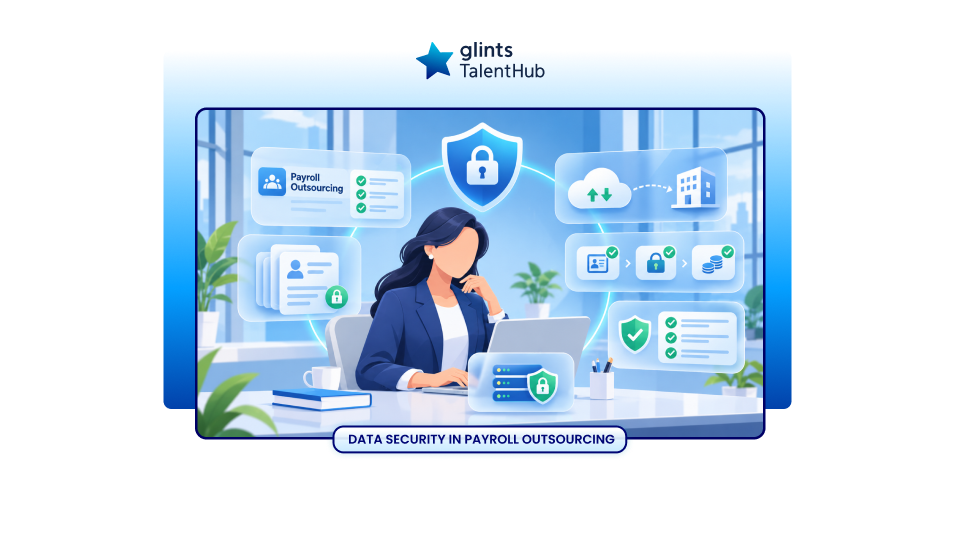
Every payroll cycle brings together information your employees expect you to protect: salaries, bank account details, identification numbers, and tax records. When you outsource payroll, that information becomes part of a process involving your team, an external provider, and potentially other service partners.
Data security in payroll outsourcing means protecting employee information throughout that process, from the first upload to the eventual return or deletion of records.
A provider can help reduce manual work and introduce more consistent processes. To assess whether the arrangement protects your business, you need clear answers about who can access payroll data, how changes are approved, where information goes, and what happens if something goes wrong.
This guide explains the main risks, the safeguards to request, and the responsibilities your team should retain.
What is Data Security in Payroll Outsourcing?
Data security in payroll outsourcing covers the people, processes, and technical controls used to protect payroll information against unauthorised access, disclosure, alteration, destruction, or loss of availability.
For employers, this has three practical goals:
- Keep information confidential. Only authorised people should see employee records and salary details.
- Keep information accurate. Changes to pay, deductions, and bank details should be approved and traceable.
- Keep information available. Your team should be able to access the records needed to complete payroll, including during disruption.
These goals align with the confidentiality, integrity, and availability principles described by ISO in its information security guidance.
If you are reviewing the wider operating model, start with this guide to payroll outsourcing.
What Employee Data Does a Payroll Provider Handle?
The information needed depends on the country, employee circumstances, and agreed service scope. It may include:
- Employee names, addresses, and contact details.
- Identity, tax, or social security identifiers.
- Bank account information for salary payments.
- Base salary, bonuses, commissions, and allowances.
- Attendance, overtime, and leave information relevant to pay.
- Tax deductions and statutory contribution records.
- Benefits information and supporting documents where required.
- Payslips, payroll reports, and payment records.
Some supporting records may reveal additional personal information, such as health or family circumstances. Before transferring them, ask whether the payroll calculation needs the full document or only an approved payroll input.
For example, the provider may need the number of approved unpaid leave days without needing unrelated correspondence about the employee’s absence.
A structured employee data collection process helps your team define which information is needed, verify updates, and manage records throughout employment.
The Main Data Security Risks in Payroll Outsourcing
1. Payroll Files Reach the Wrong People
An attachment can go to the wrong recipient. A shared folder can give too many employees access. An old provider account can remain active after the person handling your payroll leaves.
Review permissions on both sides of the relationship. A secure provider platform cannot protect a report that your own team downloads and places in an unrestricted folder.
2. Fraudulent Instructions Change Salary Payments
A message asking for an urgent bank account update may look like it came from an employee or senior manager. If the request is accepted without verification, salary payments could be redirected.
Treat payment destination changes as a separate approval event. Verify the request through a previously established contact method, rather than relying on the contact details in the message requesting the change.
3. Uncontrolled Copies Spread Across Systems
Payroll information can accumulate in email inboxes, local downloads, messaging apps, and archived spreadsheets. Each copy creates another location to manage.
Identify the approved system for current records and restrict unnecessary exports. Include temporary migration files and rejected upload files in your cleanup process.
4. Other Suppliers Introduce Additional Exposure
Your payroll provider may use cloud hosting, support teams, payment partners, or local processing partners. You need visibility into the organisations that actually handle your information.
Ask which partners receive identifiable employee data, what they do with it, and how the provider manages changes to those arrangements.
5. A Security Incident Disrupts Payroll
A compromised account, ransomware incident, or unavailable system can prevent your team from retrieving reports or approving payments.
Evaluate the continuity process alongside confidentiality controls. Your team needs a safe way to keep payroll moving without creating uncontrolled copies or bypassing approval checks.
Include these safeguards in your wider payroll risk management process, alongside checks for payment accuracy, statutory deadlines, and service continuity.
Eight Safeguards to Check Before Outsourcing Payroll
The following checks are a practical starting point for a provider review. Adapt them to your payroll scope and the sensitivity of the information involved.
1. Restrict Access to Each Person’s Responsibilities
Ask the provider to show how access differs between a payroll processor, supervisor, support agent, and administrator.
Request individual accounts, documented access approvals, prompt removal of departing users, and periodic permission reviews. Apply the same discipline to your internal HR and Finance teams.
For a regional business, check whether someone processing one country’s payroll can also access employee records from other countries without an operational reason.
2. Require Strong Account Authentication
Ask whether multifactor authentication is enforced for people accessing payroll information, including privileged administrators and external support users.
CISA recommends enabling MFA and using stronger options where available, such as phishing resistant authentication.
Also review account recovery. A strong sign in process provides less protection if a password reset can be authorised through an inadequately verified email request.
3. Protect Data During Transfer and Storage
Ask how the provider protects payroll uploads, stored records, report downloads, and backups. Request a clear explanation of encryption in transit and at rest, including how access to encryption keys is controlled.
Agree on an approved exchange channel, such as an authenticated portal or managed file transfer service. Avoid using personal email or personal messaging accounts for routine payroll exchanges.
If an exceptional transfer is necessary, document how access will be restricted, when it will expire, and how temporary copies will be removed.
4. Keep Changes and Approvals Traceable
Ask what records show who changed employee information, what changed, when it changed, and who approved it.
Pay particular attention to salary adjustments, bank account changes, new employee records, and payment files. Confirm who can review these records and how long they remain available.
As an internal control, separate preparation from final approval where practical. A person creating a payment instruction should not be able to release it alone without an independent check.
5. Collect Only the Information Needed
Before onboarding, request a list of required data fields and the reason for collecting each one.
For demonstrations and initial testing, use fictional or appropriately masked records where possible. For live migration, transfer the history needed for payroll calculations and applicable recordkeeping obligations.
Give your team a clear rule for handling extra documents. Uploading an entire employee folder simply because it is convenient can expose information unrelated to payroll.
6. Check Independent Security Evidence
If the provider claims ISO/IEC 27001 certification, request the current certificate and examine its scope. Check whether it covers the legal entity, systems, and operations delivering your payroll service.
ISO/IEC 27001 concerns an organisation’s information security management system.Use certification as one part of your assessment and ask how the relevant controls work in your actual payroll process.
You can also request suitable summaries of security testing, remediation procedures, and incident exercises. Your IT or security team can help assess the evidence without requiring unrestricted access to sensitive technical reports.
7. Test Recovery and Payroll Continuity
Ask how the provider restores payroll data and when restoration was last tested. Clarify the maximum data loss and service interruption your business can accept.
Request a practical scenario: the system becomes unavailable the day before payroll approval. Who contacts your team? Which records remain accessible? How are payment instructions verified?
The NCSC includes backups in its guidance for protecting small organisations. For payroll, also confirm how restored records will be reconciled against the latest approved changes.
8. Agree on Incident Response and Exit Procedures
Document incident contacts, escalation routes, notification expectations, and the information the provider must supply to support your assessment.
Include the end of the relationship. Specify export formats, transition support, access removal, retention requirements, and how deletion will be confirmed. Ask how backups are handled when immediate deletion is technically unavailable or records must be retained lawfully.
Need support with monthly payroll administration?
Glints TalentHub supports salary calculations, applicable tax and statutory contribution calculations, payslips, and payroll reporting. Discuss your payroll scope and data handling requirements before onboarding.
What About Data Protection Laws and Overseas Processing?
Security controls and legal compliance need to be assessed together. The applicable requirements depend on the employing entity, employees, processing activities, and countries involved.
For example, Singapore’s PDPA includes obligations concerning protection, retention, overseas transfers, and breach assessment and notification. It also addresses an organisation’s responsibilities when personal data is processed on its behalf by a data intermediary.
For a regional payroll arrangement, map where information is collected, stored, accessed, and backed up. Ask about overseas support access as well as the main hosting location.
Have your privacy or legal adviser confirm the applicable requirements and contractual safeguards for each relevant jurisdiction. Avoid assuming that one country’s contract or notification timeline works everywhere.
What Should Your Payroll Data Processing Agreement Cover?
Your service agreement and data processing terms should make the operating responsibilities clear. Discuss the following with your legal, privacy, and security teams:
- Purpose and scope: Which payroll activities the provider performs and what data it may use.
- Instructions: How your company authorises processing and approves material changes.
- Confidentiality and security: Staff obligations and agreed technical and operational safeguards.
- Other processors: Which additional parties may handle information and how changes are managed.
- Processing locations: Approved arrangements for storage, access, and international transfers.
- Incident cooperation: Reporting expectations, evidence preservation, investigation support, and communication responsibilities.
- Oversight: Available assurance reports, review rights, and handling of identified weaknesses.
- Retention and exit: Recordkeeping periods, return formats, deletion procedures, and transition support.
A contract should support a process your team can actually follow. Name the people responsible for implementing it and resolving exceptions.
Your Team Still Has an Important Role
Before each payroll run, confirm that employee changes are authorised, payment destination changes are verified, and the final payroll matches approved instructions.
Review access when employees or provider contacts change roles. Train staff to recognise suspicious requests and give them a clear escalation route when an instruction seems unusual.
For example, if an employee appears to request a new salary account just before payday, pause that change and verify it through an established channel. Urgency should trigger closer checking.
Arrange periodic provider reviews, especially after a new country is added, a processing partner changes, or an incident reveals a gap.
Simplify Payroll Administration with Glints TalentHub
If your HR and Finance teams spend each month coordinating salary changes, checking calculations, and preparing payroll reports, external support can help reduce that workload.
Glints TalentHub’s payroll service supports salary calculations, applicable tax and statutory contribution calculations, payslip preparation, payroll reporting, and local payroll guidance. Your team reviews and approves the payroll calculations before payment through the agreed arrangement.
Before onboarding, discuss your security requirements alongside the service scope. Confirm data exchange methods, access responsibilities, processing locations, and incident procedures for your proposed arrangement.